LatePoint TimeZone Selector Addon
 Premium
Introduction
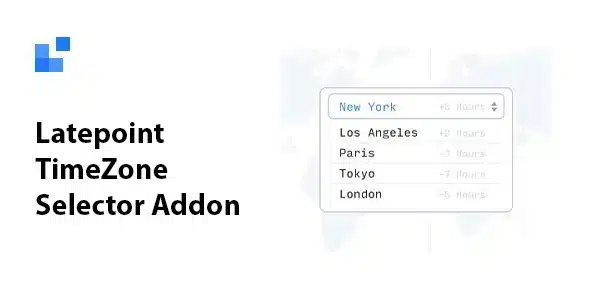
LatePoint TimeZone Selector Addon is an official extension of the LatePoint booking system for WordPress, designed to eliminate time confusion for businesses serving international clients or those spread across different geographic regions. This add-on adds a time zone selector directly in the booking process, allowing each client to see real availability based on their local location.
The add-on integrates a clear dropdown menu in the date and time selection step of the booking form. When the client chooses their region, available times automatically update to reflect their local time, ensuring appointments are scheduled accurately without manual calculations. This is especially valuable for remote consultants, healthcare professionals, therapists, coaches, and any service provider working with clients in different countries or continents.
In addition to the booking form integration, the add-on offers controls within the client's personal dashboard. Users can change their time zone at any time from their account, a very useful feature for clients who travel or move after registering. This way, all notifications and calendar entries remain synchronized with their current physical location.
For administrators, the add-on records the selected time zone for each booking, providing visibility into the region from which each client operates. This information helps prevent misunderstandings during cross-border consultations and facilitates coordination between the server clock and the client's clock.
Setup is simple: once installed and activated, the "Show time zone selector" option is enabled from LatePoint settings in the DatePicker step. The add-on works seamlessly with the LatePoint ecosystem, maintaining the same intuitive and clean interface that characterizes this booking system.
In summary, LatePoint TimeZone Selector Addon is the ideal solution for businesses looking to professionalize their international bookings, reduce scheduling errors, and offer an impeccable user experience to clients worldwide.
- Time zone selector integrated into the booking form
- Automatic update of available times based on client location
- Time zone change from the client's personal dashboard
- Time zone recording per booking for administrative visibility
- Quick setup from LatePoint settings
- Ideal for businesses with international or remote clients
Similar items
 Premium
 Premium
 Premium
 Premium